
More Information
Boost Client’s Local Ranking with AI-Powered Software
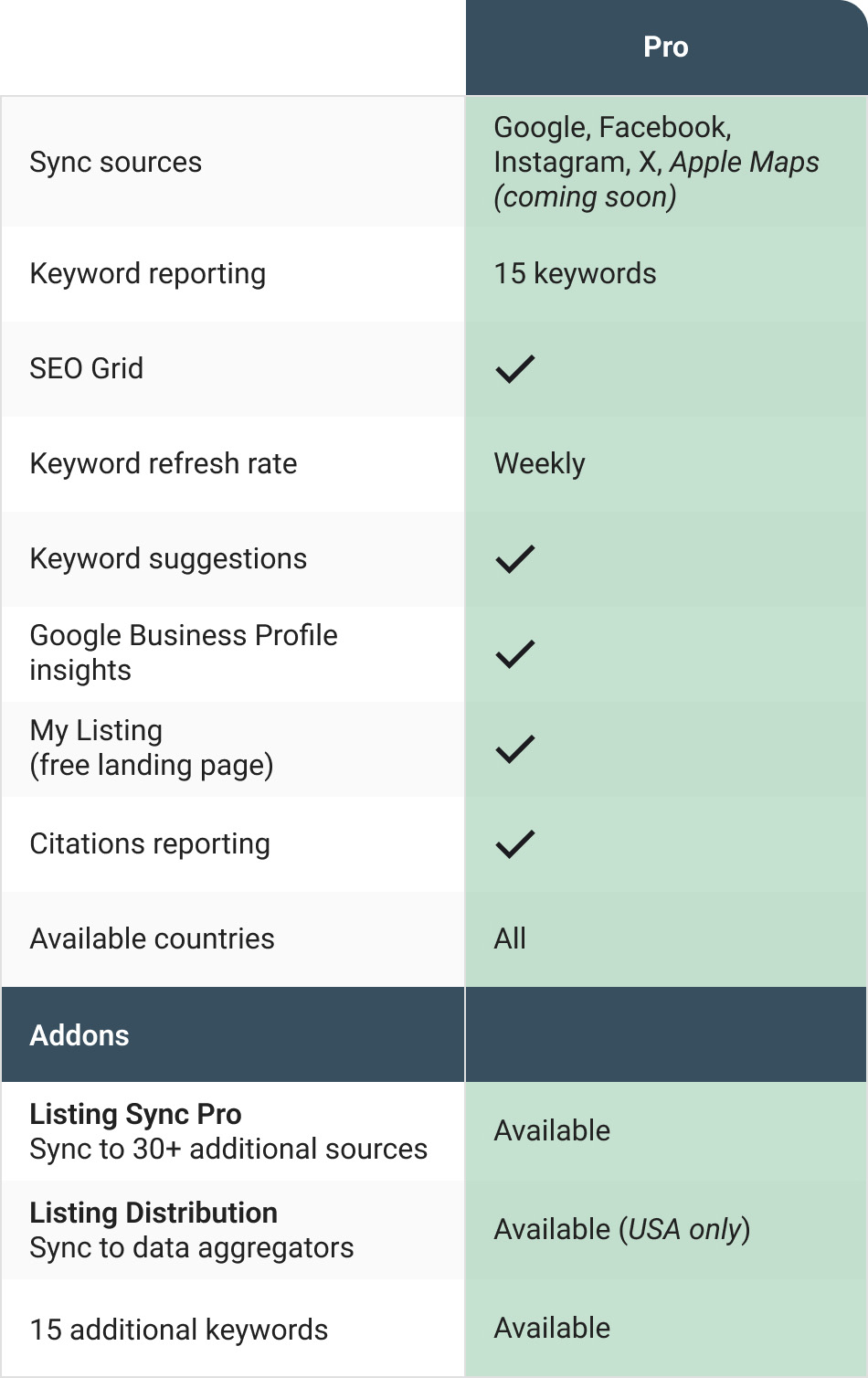
Sync business information to top online directories
Devise local SEO tactics at scale
In-Depth geolocation rank tracking
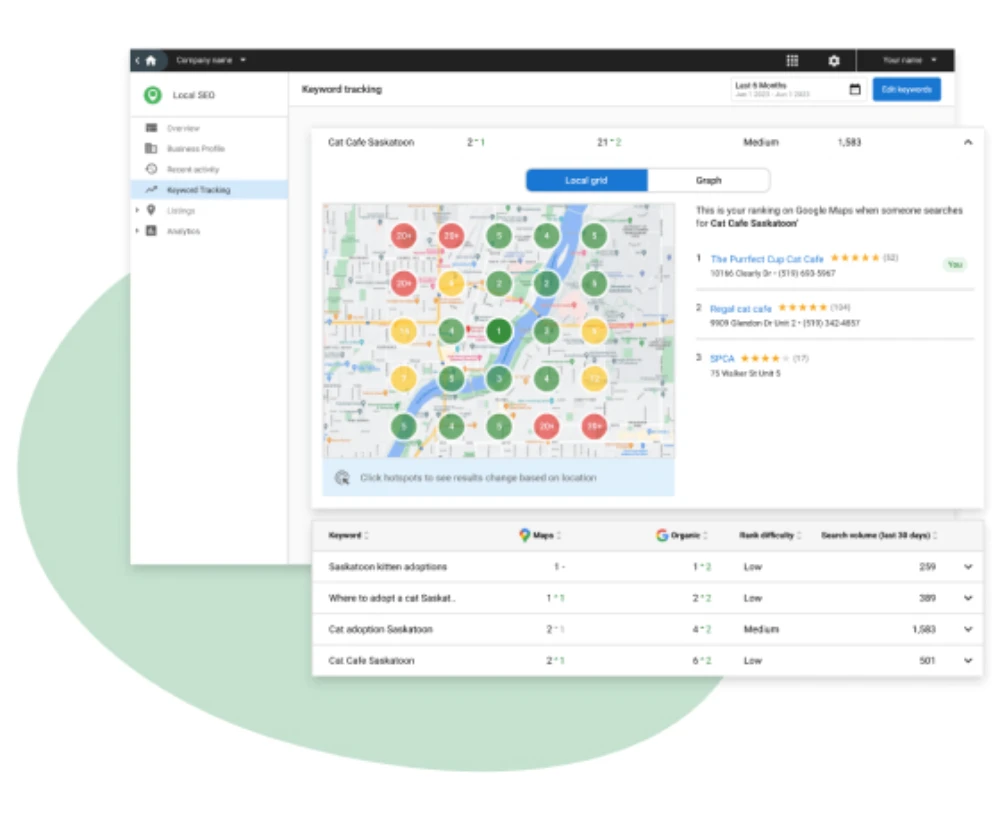
Discover your client’s position in local search with our innovative SEO grid.
Highlight areas for optimization to strategically advance.
No more uncertainty about SEO direction or rankings. Use our platform to track growth and get a market edge.
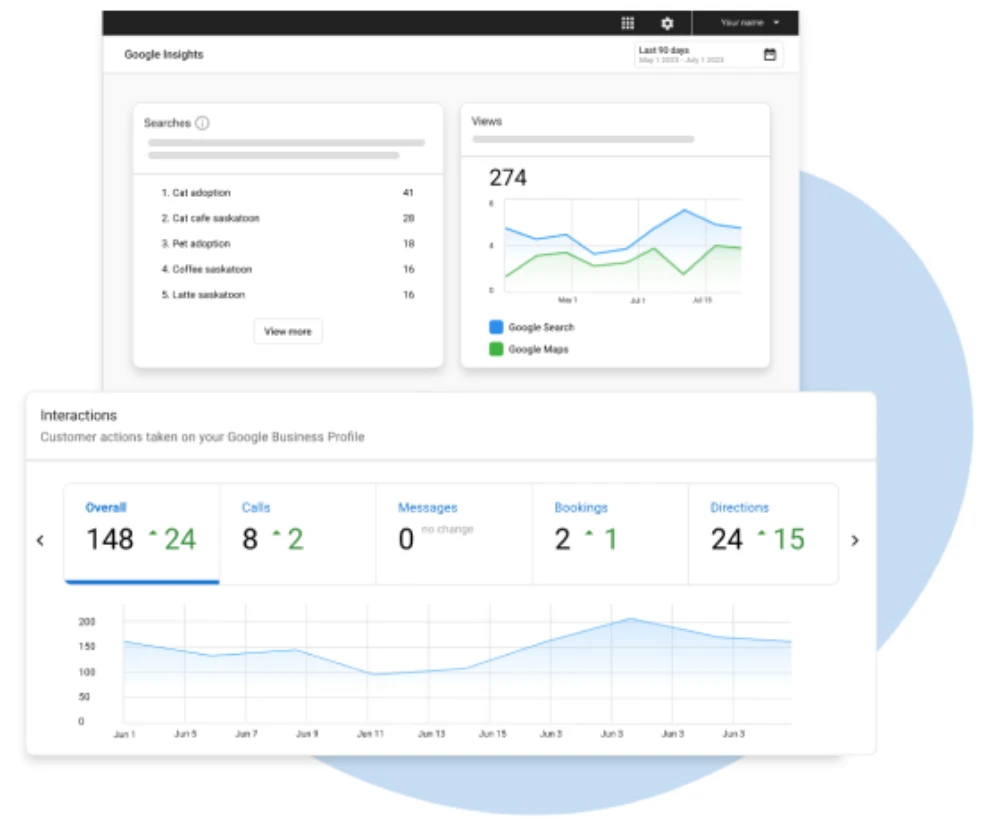
Local SEO reporting with Google Insights
Maximize findability with Local SEO software
Break free from local SEO limitations and reveal unseen ranking areas with the local search grid and so much more.
Track local search rankings
Show proof of performance with keyword metrics
Integrated Google Business Profile insights
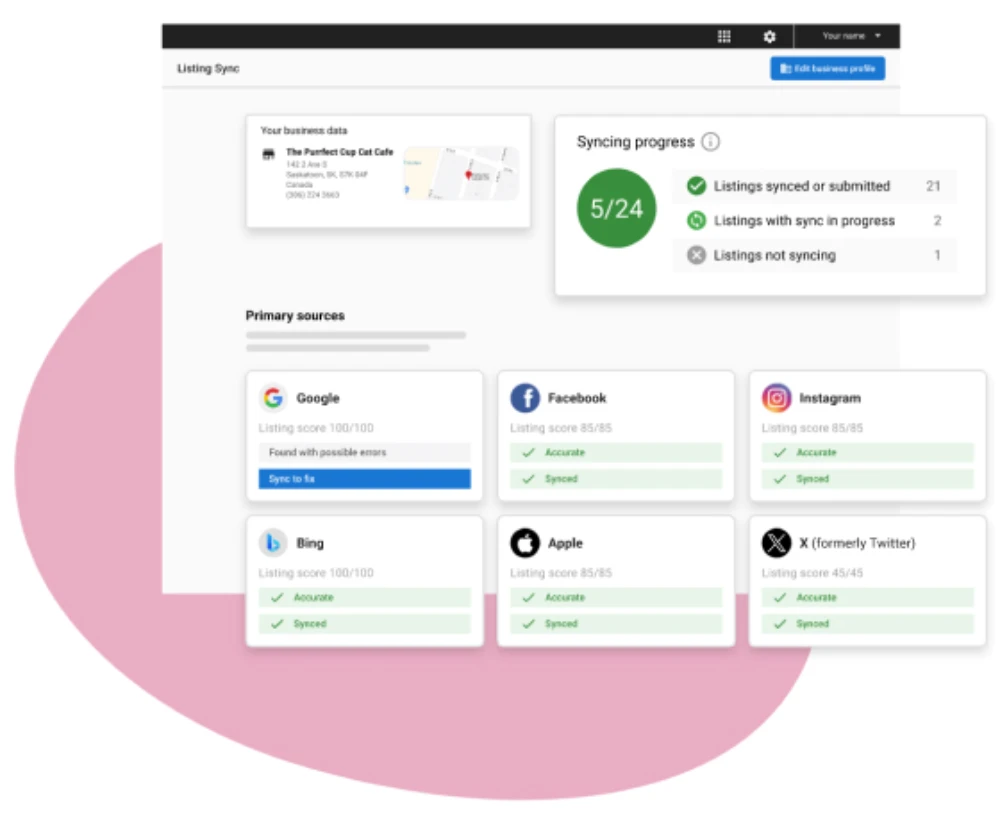
Effortless listing management
Transform online listings management to ensure your business details stay consistent on platforms like Google, Facebook, and Apple and simplify managing multiple sites.
Build your SEO with AI
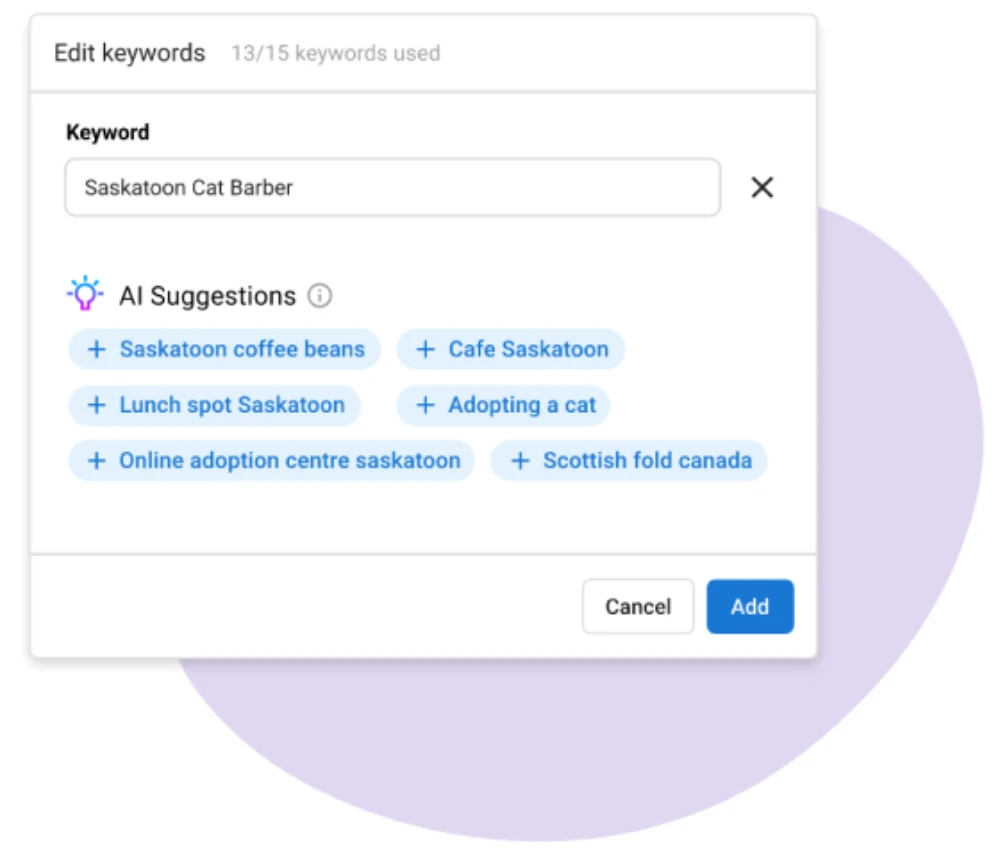
Build your local SEO on all of the most important sites
Included with Local SEO Pro:



Apple

Bing


X (Twitter)
Included with Listing Sync Pro add-on:

Amazon Alexa

Foursquare

MapQuest

Yelp

Better Business Bureau

YP.com

Yahoo

Uber
NextDoor

DexKnows

Manta

SuperPages

City Search

Elocal

Hotfrog

Cylex
… and many more
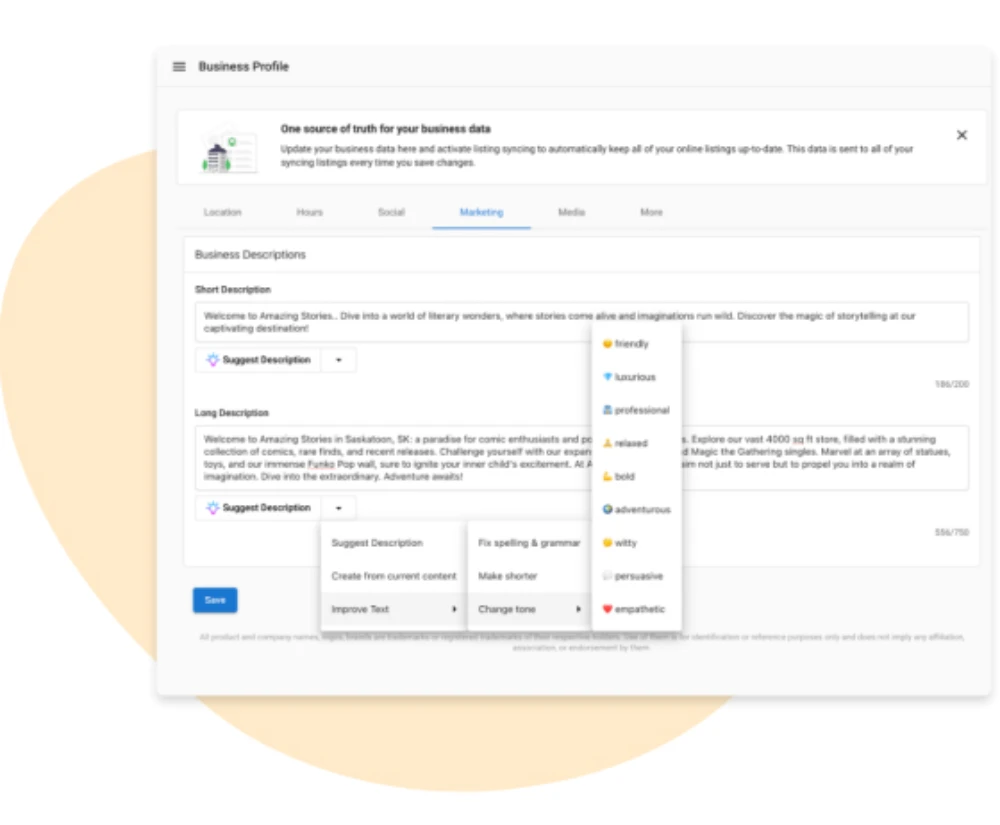
AI-enhanced business profiles
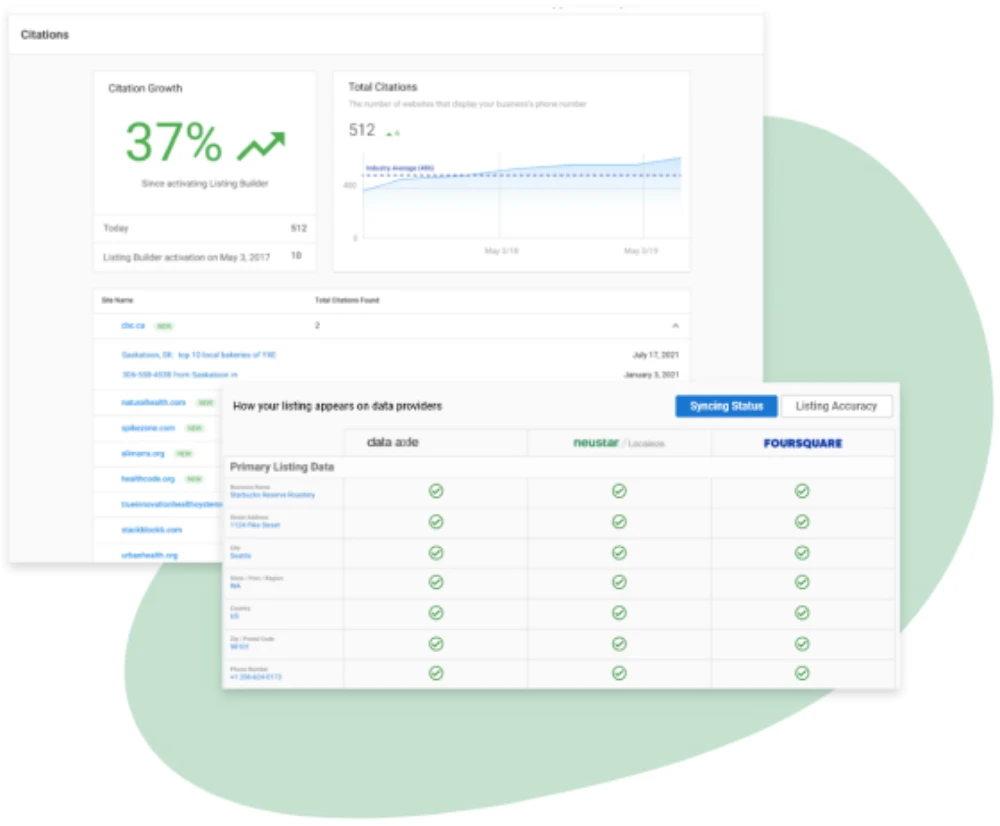
Boost online visibility with NAP citations
Sync business information to even more important sites by adding the Listing Sync Pro add-on.
FAQs
INVISIBLE
Why is it important for local businesses to have a mobile optimized listing?
For SEO, priority is given to good customer experience on mobile devices. Consumers will use mobile devices to find desired goods or services and will generally begin these searches with a category or brand search. For example, a brand search is “Joe’s Pizza in Denver” and a category search is “Pizza in Denver”.
(Note: On a mobile device the “in Denver” often does not need to be explicit.)
In the case of a category search, the user has intent to purchase something in a category but has not decided or does not care about the brand. In these searches, the user’s intent is generally heavily skewed toward proximity and location. So search engines generally deliver the closest locations and it is therefore important that location information is crawlable, is displayed on each page, and is in meta-data and keywords.
What is the local SEO grid?
The local SEO grid is a powerful feature that allows you to pinpoint which keywords are performing well in Google organic search and Google Maps.
You can use these keywords to inform your client’s local SEO strategy and showcase improvements over time.
How can I track more than 15 keywords?
You can track more than 15 keywords by activating the “Add Keywords” add-on.
Each activation will give you an additional 15 keywords, allowing you access to track 30, 45, 60 keywords, etc.
Can I change the radius of the local SEO grid?
The map radius will default to 1.25 miles but can be easily changed by clicking on the “Edit Keywords” button in the top right.
Choose from 1.25, 2.5, 5, or 10 miles for larger cites.
What does the "started at" number mean in the Keyword Tracking tab?
The number you’ll see under “Started at” shows the position of that particular keyword at the time that it was added.
Keep in mind this number also changes based on the date picker you’ve selected.
For example, if you added that keyword on January 1st, but your selected date range is March 1 – May 31, the “Started at” will show the rank on March 1st.